
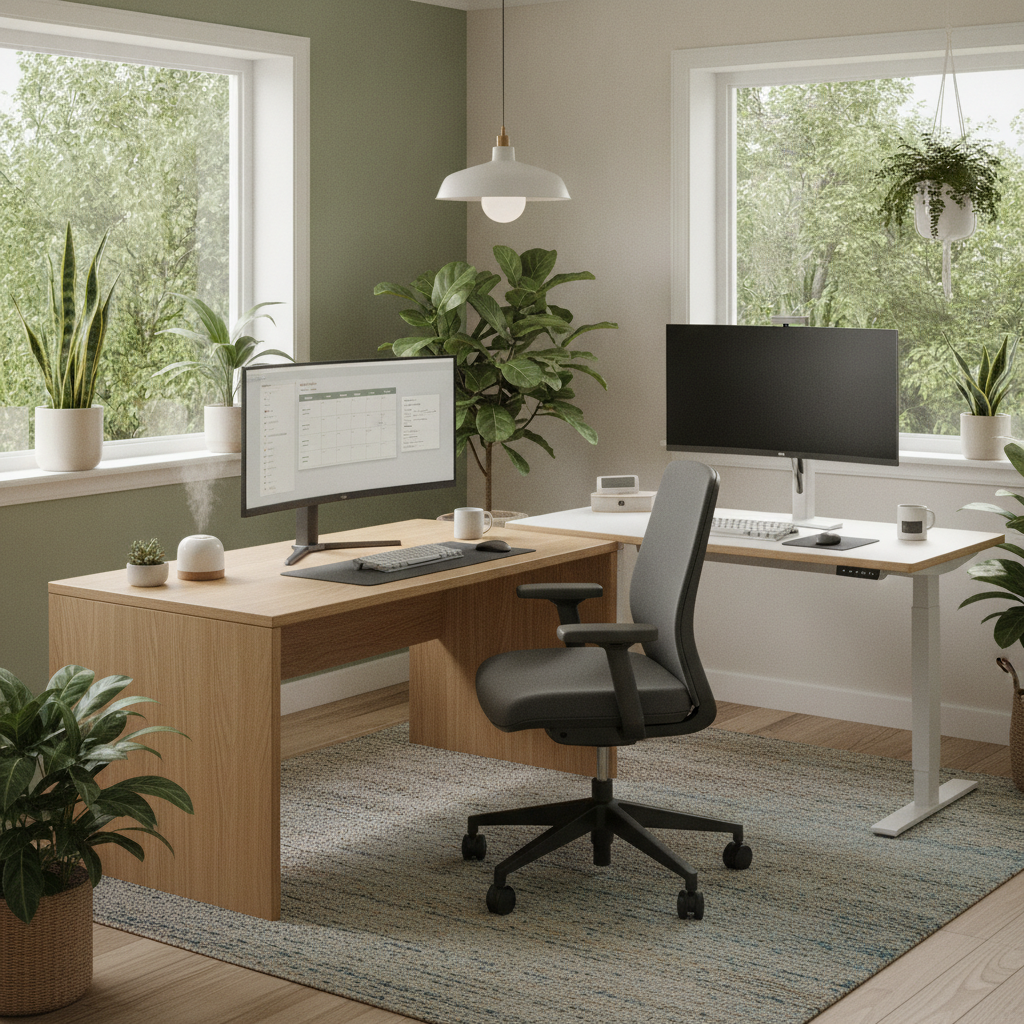
Working from home has become the new normal for many small business owners, developers, and professionals. However, without the right setup, your home office can quickly become a source of discomfort and even chronic pain. That’s why understanding ergonomic solutions for home offices is essential for back pain prevention and overall well-being. In this article, we’ll explore practical, actionable ways to transform your workspace into a haven of comfort and productivity. Whether you’re setting up a dedicated office or working from your kitchen table, these tips will help you maintain good posture, reduce strain, and keep you feeling your best. Discover how simple changes can make a big difference in your daily routine, and learn which ergonomic products and habits can help you stay pain-free while working from home.
Ergonomic Solutions for Home Offices in Grass Lake
Setting up an ergonomic home office is one of the most effective ways to ensure back pain prevention while working remotely. Many residents in this community have discovered that investing in the right chair and desk can dramatically improve comfort and productivity. Start by selecting a chair with adjustable lumbar support and seat height. Your feet should rest flat on the floor, with knees at a 90-degree angle. Pair this with a desk that allows your elbows to bend at a right angle when typing. Monitor placement is equally important: the top third of your screen should be at eye level to minimize neck strain. For more guidance on back pain prevention, consider consulting local professionals who specialize in workplace ergonomics. By making these adjustments, you can create a workspace that supports your health and reduces the risk of chronic discomfort. For related information, see back pain prevention.
Ergonomic Solutions for Home Offices in Grass Lake, MI
In Grass Lake, MI, many home-based professionals are turning to ergonomic solutions for home offices to prevent back pain and boost productivity. One effective strategy is to incorporate sit-stand desks, which allow you to alternate between sitting and standing throughout the day. This variation helps reduce pressure on your lower back and encourages better circulation. Additionally, using keyboard trays and monitor arms can help maintain neutral wrist and neck positions. Ergonomic accessories like footrests and anti-fatigue mats further enhance comfort, especially on long workdays. For those seeking expert advice, Grasslakechiropractic offers specialized insights into optimizing your home office setup. By integrating these ergonomic practices, you can create a healthier, more supportive work environment right in your own home. For related information, see Grasslakechiropractic.
Ergonomic Solutions for Home Offices in Grass Lake Michigan
For those living in Grass Lake Michigan, ergonomic solutions for home offices are more accessible than ever. Adjustable desks and chairs are now available in a range of styles and price points, making it easier for everyone to create a comfortable workspace. Consider adding a supportive lumbar cushion or an ergonomic mouse to further reduce strain. Lighting also plays a crucial role: position your desk near a window for natural light, or use adjustable lamps to minimize glare and eye fatigue. If you’re unsure where to start, a visit to the Grass Lake Chiropractic Center can provide personalized recommendations based on your specific needs. By prioritizing ergonomics, you can enjoy a healthier, more productive work-from-home experience.
Why Ergonomics Matter in Home Offices
Ergonomics is the science of designing a workspace that fits your body, rather than forcing your body to fit the workspace. In home offices, this is especially important because makeshift setups often lead to poor posture and repetitive strain injuries. Without proper ergonomic solutions for home offices, you may experience back pain, neck stiffness, and even headaches. Investing in ergonomic furniture and accessories not only prevents discomfort but also improves focus and efficiency. Over time, these adjustments can reduce the risk of chronic pain and long-term health issues. By understanding the principles of ergonomics, you can create a workspace that supports your physical health and allows you to perform at your best every day.
Choosing the Right Ergonomic Chair
The foundation of any ergonomic home office is a supportive chair. Look for a chair with adjustable height, lumbar support, and a seat that allows for proper thigh and hip alignment. Armrests should enable your shoulders to relax and your elbows to stay close to your body. Mesh backs are excellent for breathability, while memory foam seats provide lasting comfort. Test different models to find one that suits your unique body shape and work habits. Remember, an ergonomic chair is an investment in your health, helping you maintain good posture and prevent back pain even during long work sessions. Prioritizing this piece of furniture can make a significant difference in your daily comfort and productivity.
Desk Height and Monitor Positioning Tips
Proper desk height and monitor placement are crucial components of ergonomic solutions for home offices. Your desk should allow your forearms to rest parallel to the floor when typing, with wrists straight and relaxed. The monitor should be positioned so the top third is at eye level, about an arm’s length away. This setup minimizes neck and eye strain. If your desk is too high or low, consider using risers or an adjustable desk. For laptops, a separate keyboard and mouse paired with a laptop stand can help achieve the correct height. These small adjustments can significantly reduce the risk of developing musculoskeletal issues and ensure your workspace is both comfortable and efficient.
Essential Ergonomic Accessories for Every Home Office
Beyond the basics of chair and desk, several ergonomic accessories can further enhance your home office. Footrests help maintain proper leg alignment, especially if your feet don’t reach the floor. Wrist rests and ergonomic keyboards reduce strain on your hands and wrists. Monitor arms allow for easy adjustment of screen height and angle. Anti-fatigue mats are ideal for those using standing desks, providing cushioning and support. Cable management tools keep your workspace tidy, reducing trip hazards and distractions. By incorporating these ergonomic solutions for home offices, you can create a more comfortable and organized environment that supports long-term health and productivity.
Daily Habits to Support Ergonomics
Ergonomic solutions for home offices go beyond furniture and accessories. Developing healthy daily habits is key to preventing back pain and maintaining comfort. Take short breaks every 30 to 60 minutes to stand, stretch, and move around. Practice good posture by keeping your shoulders relaxed and your back supported. Adjust your chair and monitor throughout the day to avoid staying in one position for too long. Use reminders or apps to prompt movement and posture checks. Staying hydrated and incorporating light exercise into your routine also support musculoskeletal health. By combining ergonomic equipment with mindful habits, you can create a sustainable work environment that promotes well-being.
Common Ergonomic Mistakes and How to Fix Them
Even with the best intentions, it’s easy to make ergonomic mistakes in your home office. One common error is using a chair without proper lumbar support, leading to slouching and back pain. Another is placing the monitor too low, which causes neck strain. Typing with wrists bent or unsupported can result in repetitive strain injuries. To fix these issues, regularly assess your workspace and make small adjustments as needed. Use a checklist to ensure your chair, desk, and monitor are set up correctly. Don’t overlook the importance of good lighting and a clutter-free environment. By staying vigilant and proactive, you can avoid common pitfalls and enjoy the full benefits of ergonomic solutions for home offices.
Comparing Popular Ergonomic Products
| Product Type | Key Features | Typical Price Range |
|---|---|---|
| Ergonomic Chair | Adjustable lumbar, seat height, armrests | $150 – $600 |
| Sit-Stand Desk | Height adjustable, sturdy frame | $200 – $800 |
| Monitor Arm | Flexible height, tilt, rotation | $40 – $150 |
| Footrest | Adjustable angle, non-slip | $20 – $80 |
| Anti-Fatigue Mat | Cushioned, durable, easy to clean | $30 – $120 |
When selecting ergonomic products for your home office, consider your specific needs and budget. The table above compares popular options, highlighting key features and price ranges. Investing in quality ergonomic solutions for home offices can prevent discomfort and support long-term health. Take time to research and test products before making a decision, ensuring they fit your workspace and personal preferences.
Adapting Ergonomics for Small Spaces
Not everyone has a dedicated room for a home office, but ergonomic solutions for home offices can be adapted to fit small spaces. Compact desks with adjustable heights, foldable chairs with lumbar support, and wall-mounted monitor arms are excellent choices for tight areas. Use vertical storage to keep supplies organized and free up desk space. Consider portable accessories like laptop stands and footrests that can be easily moved or stored when not in use. Even in a small corner or shared space, you can implement ergonomic principles to create a comfortable and efficient workspace. With creativity and the right products, it’s possible to enjoy the benefits of ergonomics no matter the size of your home office.
How to Evaluate Your Home Office Ergonomics
Regularly evaluating your home office setup is essential for maintaining ergonomic solutions for home offices. Start by checking your chair and desk height, monitor position, and the alignment of your arms and wrists. Use a mirror or ask a friend to observe your posture while you work. Look for signs of discomfort, such as tension in your neck, shoulders, or lower back. Make adjustments as needed, and don’t hesitate to try new accessories or rearrange your workspace. Many online resources offer checklists and self-assessment tools to help you identify problem areas. By staying proactive, you can ensure your home office continues to support your health and productivity over time.
Key Takeaways
Creating an ergonomic home office is not just about comfort, it’s about protecting your health and ensuring long-term productivity. By investing in quality furniture, adjusting your workspace, and adopting healthy habits, you can prevent back pain and other common issues associated with remote work. Remember to regularly assess your setup and make adjustments as your needs change. Ergonomic solutions for home offices are accessible to everyone, regardless of space or budget. Start with small changes and build a workspace that supports your well-being every day. With the right approach, you can enjoy a pain-free, efficient, and enjoyable work-from-home experience in this region and beyond.